Vevang AISites/ Landscapers · Google Business Profile

Google Business Profile management · Landscapers

Google Business Profile for Landscapers

Most homeowners choose a landscaper from the map before they ever open a website. Your profile has to show the work you actually want to sell, not just mowing.

Pick a 15-minute time. Your demo is built before the call.

  • Your demo, built before the call
  • Improved every week
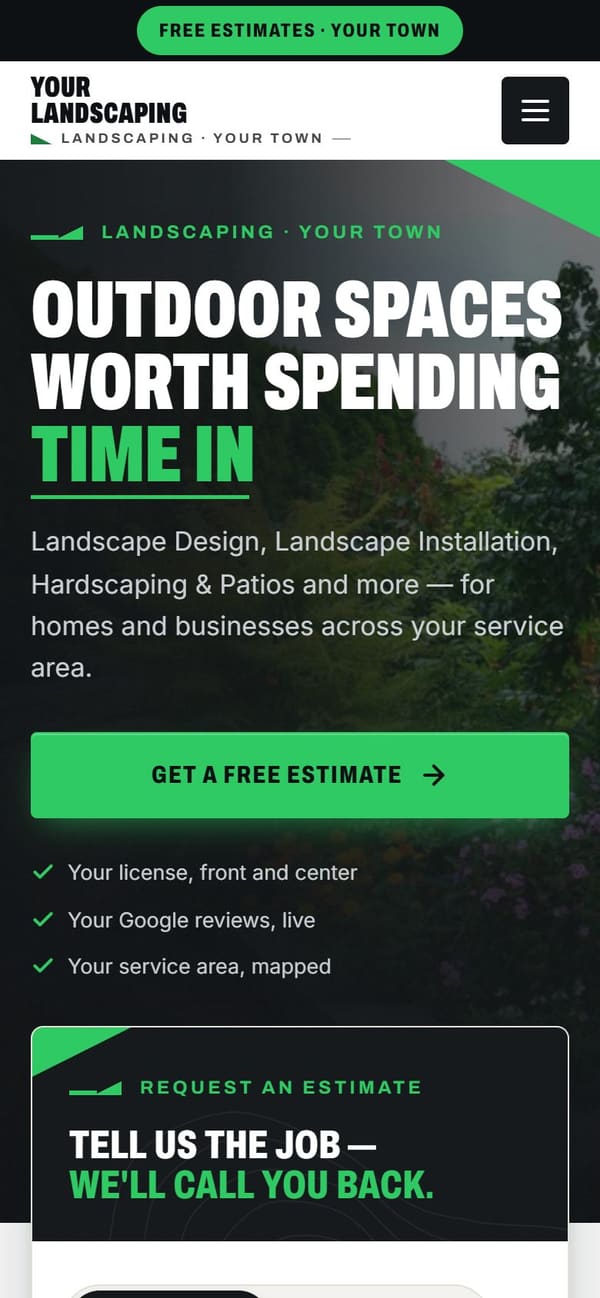
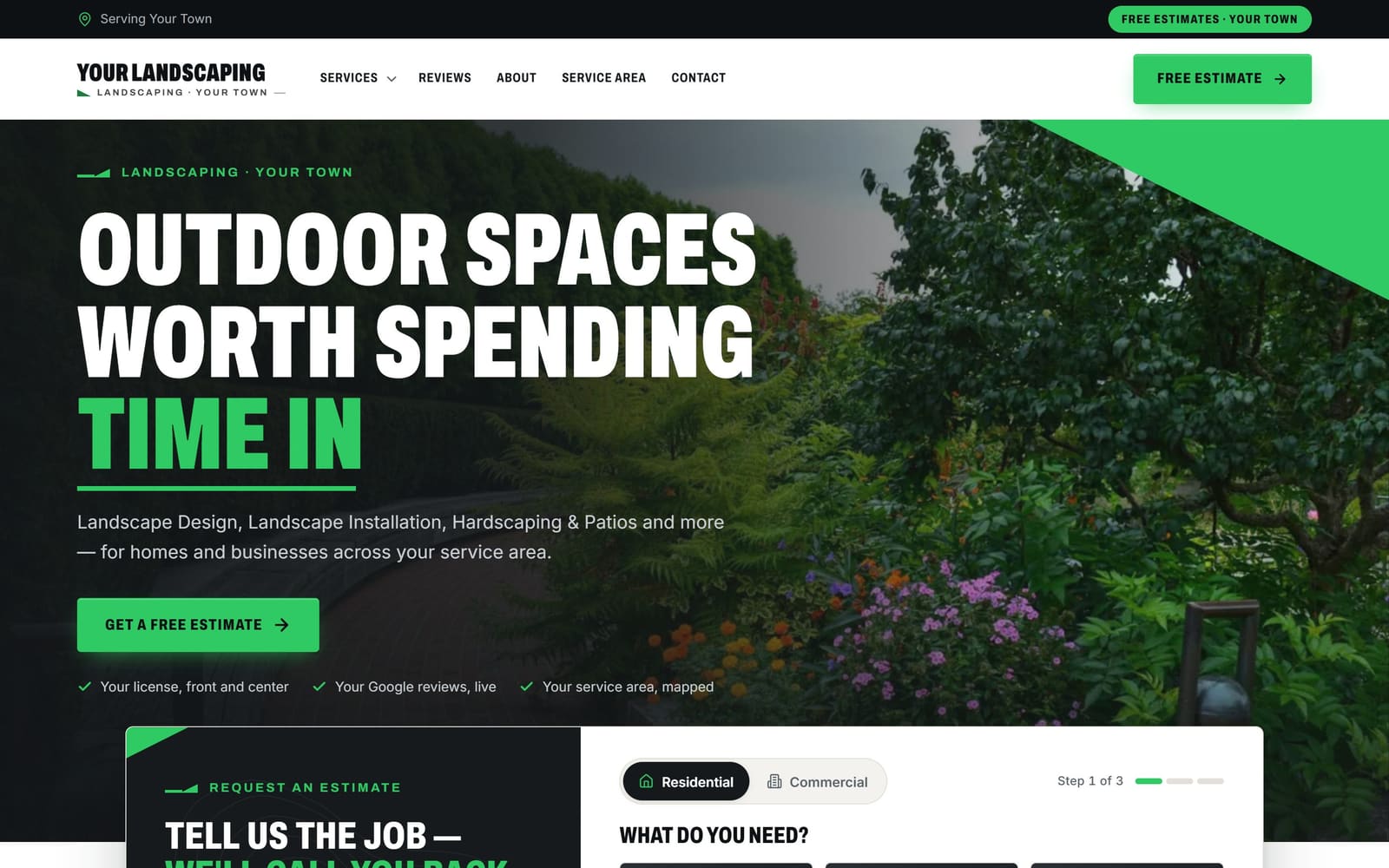
A sample landscapers website, the kind Vevang builds and keeps improving.
The same sample site on a phone.
Sample demo · the kind of site we build for landscapers

What does this include?

Your Google Business Profile is the map listing homeowners see when they search for a landscaper in your town. Vevang Sites sets up the profile, picks categories, writes the service list, loads project photos, posts through the seasons, answers questions, and links it to matching pages on the site we build.

Why it matters

Why it’s different for your trade.

01

The map is where yards get shopped

A new homeowner with an overgrown yard types your town plus landscaper and scrolls the map. They judge three listings on photos and reviews in seconds. If your profile is thin, they never see your patio work at all.

02

Categories decide which jobs call you

Landscaper, landscape designer, lawn care service and landscape lighting designer pull different searches. If your primary category says lawn care, you get mowing quotes all spring while the design-build patio jobs go to the listing next to you.

03

The listing and the site have to agree

Your hours, service area, phone and service list appear on the map, on your site and in AI answers. When those disagree, homeowners hesitate and assistants pass over you. One consistent set of facts fixes it.

What we do

The work, step by step.

01

Claim, verify and clean the basics

We claim or recover the profile, verify it, and fix the name, phone and hours. If you work from a yard or shop with no walk-in customers, we hide the address and set a service area instead.

02

Set categories around your best work

Primary category matches the jobs you want more of, usually design-build or landscaping. We add secondary categories for hardscaping, retaining walls, lighting, maintenance and snow, so you show up for each without burying the main one.

03

List every service and link it out

Patios, retaining walls, drainage, planting, lighting, cleanups, commercial grounds. Each service gets a short description and points to its own page on your site, so a click from the map lands on proof, not a homepage.

04

Build a real photo set

Before-and-after pairs by project type, wide shots of finished patios and beds, crews and trucks on site. We set a routine so photos from recent jobs keep going up while your crews are in the field.

05

Post and answer by season

Consultation openings in late winter, install lead times in summer, cleanups and lighting in fall, snow contracts if you run them. We seed Q&A with the questions you hear on every call, including job minimums.

06

Track calls and keep it moving

We track calls and form fills from the profile so you know what the map produced. Every week, our SEO Ranker agent checks photos, posts, hours and review replies and makes small improvements.

Common mistakes

What usually goes wrong.

Choosing the mowing category by default

Plenty of landscapers pick lawn care service because it sounds safe. Then the phone rings with fifty-dollar cut requests in April and the paver patio searches never reach you. Pick the category that matches your margin.

Drawing a service area the size of the state

Listing every town within an hour does not spread you wider. It makes the listing vague and sends you estimates you will never drive a trailer to. Name the towns and neighborhoods your crews actually work.

Photos of grass and nothing else

Twenty green lawns look like every other listing. No before shots, no wall builds, no lighting at dusk, no drainage fix after a storm. Homeowners buy the transformation, so the profile has to show it.

Going silent from May to October

Install season starts and the profile freezes. Hours stay wrong, questions sit unanswered, no posts, no new photos. That is exactly when homeowners are booking fall cleanups and next spring's design work.

Checklist

What you can check today.

  • Set your primary category to the work you want more of.
  • List only the towns your crews actually drive to.
  • Add every service you sell with one clear sentence.
  • Upload before-and-after photos from your last three projects.
  • Post your consultation opening date for the season.
  • Answer your job-minimum question in Q&A yourself.
  • Reply to every review, maintenance and design alike.
  • Link each service to its page, not the homepage.

How it works

You see it first. Then you decide.

You don’t sign anything to see it. Book a time, and your demo is ready before we talk.

  1. 01

    Book 15 minutes

    Pick a time — often the same day. Tell us your website, or just your business name and city.

  2. 02

    We build your demo

    Before the call, we build a demo of your new website from your real business: your services, your area, your reviews.

  3. 03

    See it, then decide

    We walk you through the demo on the call. You see exactly what you’d get before you spend anything.

  4. 04

    Launch, then improve weekly

    We build it for real and put it live. After launch, the SEO Ranker agent keeps improving it every week.

15 minutes on Google Meet. No obligation.

Questions

Straight answers.

Should my primary category be landscaper or lawn care service?

Pick the one that matches the work you want to sell. If design-build patios and plantings pay your year, primary should be landscaper or landscape designer, with lawn care as a secondary category. If weekly maintenance routes are the business, flip it. You can carry several secondary categories without hurting the main one.

Should I hide my address?

If customers never come to you, yes. Most landscapers run from a yard, shop or home with equipment and no showroom, so the profile should show a service area instead of a street address. Set it by the towns and neighborhoods you serve, and keep it honest about where crews go.

Can I create a separate profile for snow removal or holiday lighting?

Only if it is a genuinely separate business with its own brand, phone and staff. Otherwise add snow removal service or holiday lighting as a secondary category on your existing profile and swap your posts and photos when the season turns. A duplicate listing can get both suspended.

How many photos should I add, and how often?

Think in projects, not counts. Every finished job gives you a before shot, a couple of progress shots and two or three finished angles. Add a set after each install rather than dumping a year at once. Patios, walls, beds and lighting at dusk do more than lawn photos.

Do posts actually help my rankings?

Nobody can guarantee rankings, and we will not pretend otherwise. Posts do give homeowners a reason to call now: consultation openings, current install lead times, fall cleanup scheduling. They also show the listing is tended, which matters when someone is comparing three landscapers on one screen.

How do I get reviews from maintenance clients?

Ask every customer after the work is finished, not just the ones you expect to be happy. Send the request the same day the crew leaves, with a direct link. We handle those requests and help you reply to each review, mentioning the project type so readers see the range of work you do.

Can the profile stop the small jobs from calling?

Not completely, but you can shape it. Lead with design-build in your categories and services, show hardscape and planting photos rather than mowing, and answer the minimum-project question in Q&A. Callers who read that either fit your work or move on before they take your time.

What happens on the call with Vevang?

Book fifteen minutes. Before we talk, we build a demo of your new website using your projects and service area, so you can see the pages a map visitor would land on. On the call we go through your profile, your categories and what is missing.

More for landscapers

One team for the whole job.

Reviewed 2026-09-24

Your demo is free

See your new website on the call.

Tell us your website — or your business name and city — and pick a time. We’ll have your demo ready before we talk.

Pick a 15-minute time. Your demo is built before the call.